Scan documents to searchable PDF on Android, with free OCR
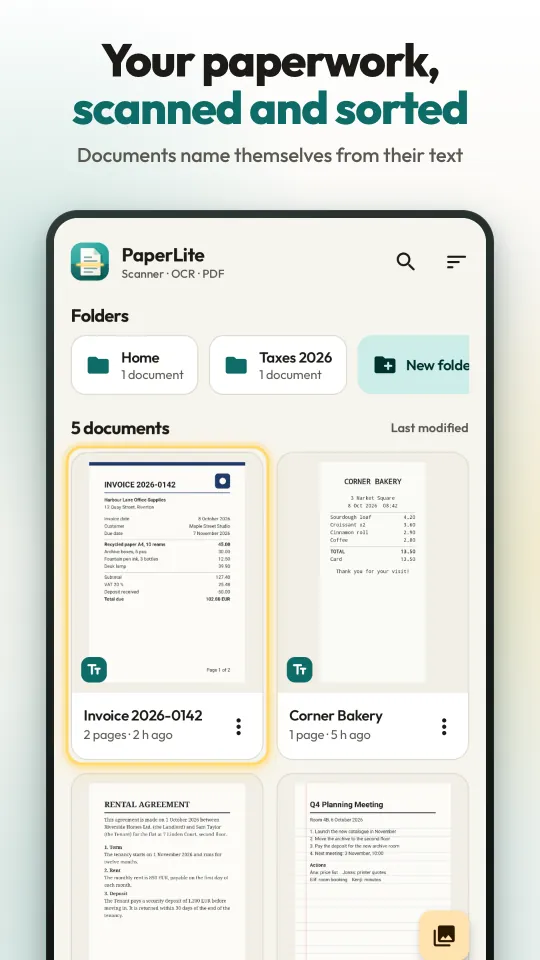
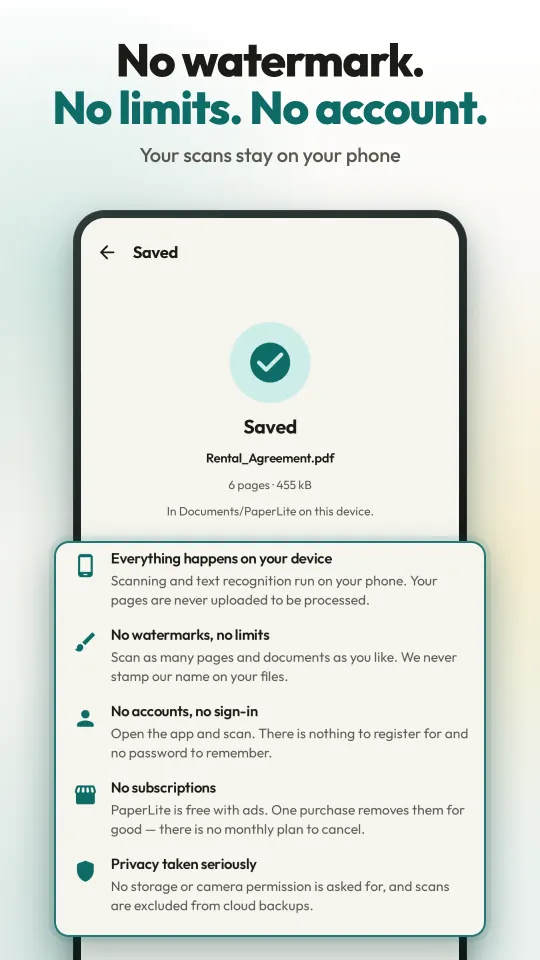
PaperLite turns paper into clean PDFs and reads the text on your phone, so you can find any scan by a word inside it and copy its text. No watermark, no account, no subscription, and your scans are never uploaded.
Coming soon to Google Play
PaperLite is in a closed test on Google Play and is not public yet. This page will link to it as soon as it is.
What you get
- No watermarkNothing is ever stamped on your scans or PDFs, and there is no paid tier that removes one.
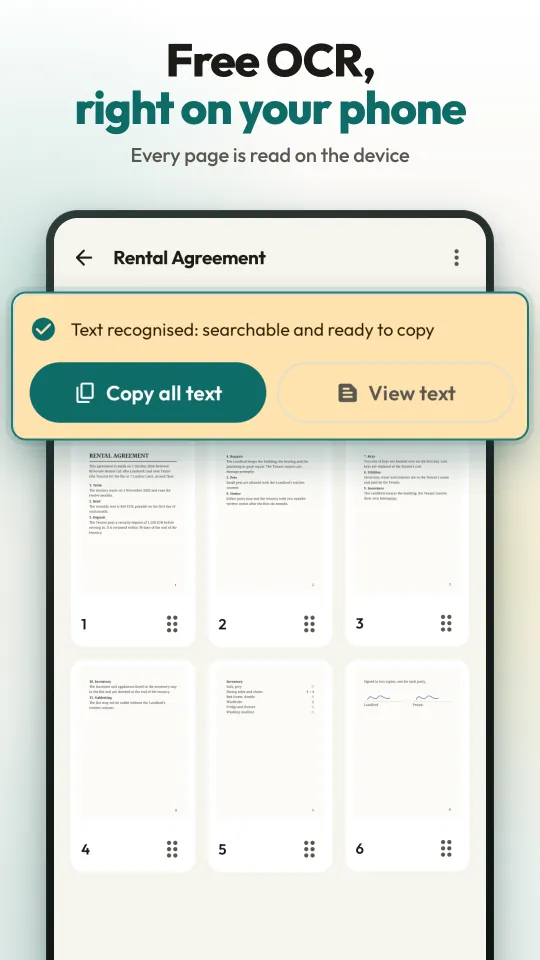
- Free OCR on your phoneEvery page is read on the device right after you scan it: Latin-script languages, Japanese and Korean.
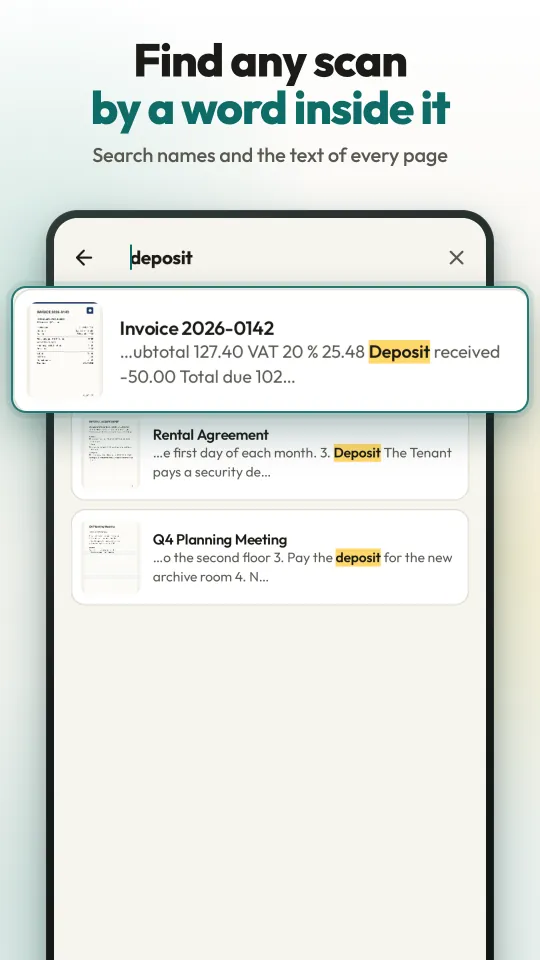
- Find any wordSearch looks through document names and every word on every page, and shows the matching line.
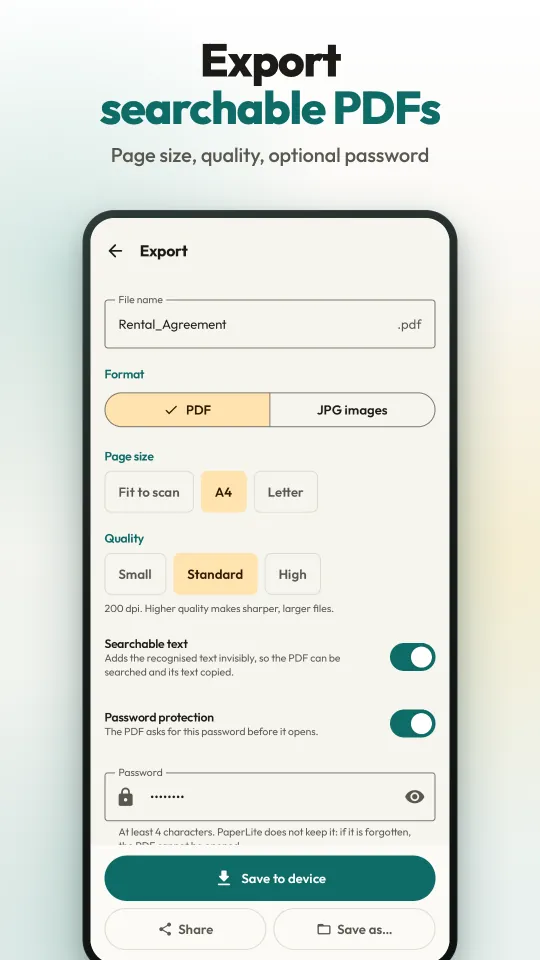
- Searchable PDFExport PDFs with an invisible text layer, at Fit to scan, A4 or Letter size, with an optional password. Or JPG images.
- No accountNo sign-up, no email. Open the app and scan.
- Scans never uploadedScanning, reading and PDF creation happen on the phone. No camera or storage permission is asked for.
- Works offlineOnce Google Play services has the scanner and text models, scanning, reading and export need no internet.
- No subscriptionFree with ads. One optional, one-time purchase removes them. No limits on scans, pages or features.
How to scan a document
- Open PaperLite and tap Scan. Google's document scanner opens: it finds the edges of the page and can take the picture by itself.
- Scan one page or many, up to 100 in one go. Crop, straighten or add a filter if you like, then confirm the pages.
- The new document opens at once. Its text is read on your phone in the background, and a card shows the progress until it says Text recognised.
- The document names itself from its first line of text, like Invoice 2026-0142. A name you type yourself is never replaced.
How to find a scan and copy its text
- In the library, tap the search icon and type any word: a name, an amount, a word on page 5.
- Every document that contains it is listed, with the matching line and the word highlighted.
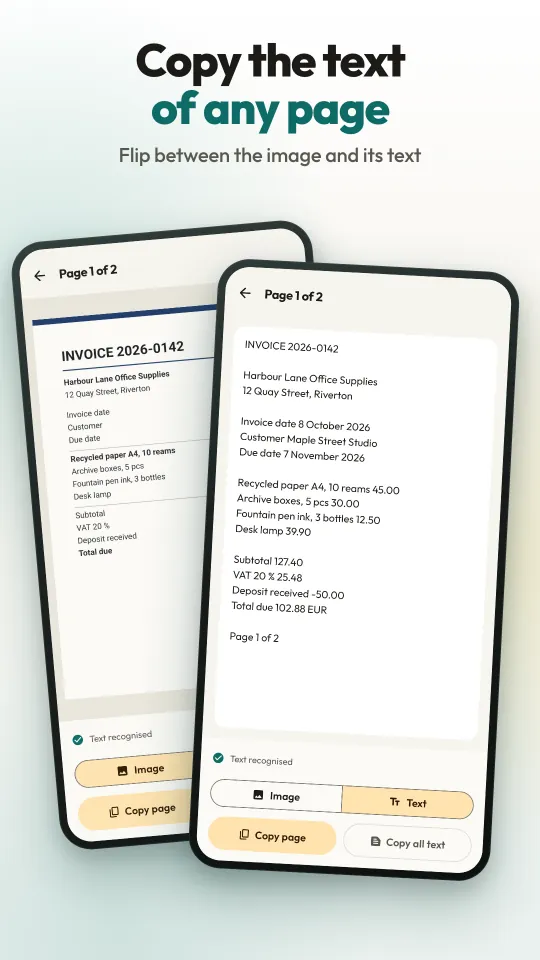
- Open a page and switch from Image to Text to see what was read.
- Tap Copy page, or Copy all text for the whole document, and paste it into any other app.
How to export a searchable PDF
- In a document, tap Export and choose PDF or JPG images.
- Pick the page size (Fit to scan, A4 or Letter) and the quality: Small 150 dpi, Standard 200 dpi or High 300 dpi.
- Leave Searchable text on for the invisible text layer, and turn on Password protection if you want one.
- Tap Save to device (it goes to Documents/PaperLite), Save as… to pick a folder, or Share.
Questions people ask
How do I scan a document to PDF on Android?
Install PaperLite, tap Scan and hold your phone over the page: Google's document scanner finds the edges, straightens the page and captures it. Open the document, tap Export, choose PDF and tap Save to device. The PDF has no watermark, and its text can be searched.
Is PaperLite free? Does it add a watermark?
It is free, and nothing is ever stamped on your pages. There is no limit on scans, documents or pages, and no feature is held back. The app is paid for by ads; an optional one-time purchase removes them, and there is no subscription.
What ads are there, and how do I remove them?
A banner at the bottom of the library and of a document's page grid, and a full-screen ad after a Save to device or Save as export has finished (never on your first two exports, and at least three minutes apart). A card announces it first, and the ad plays only when you tap Continue. No ad appears when you come back to the app, nor on the scanner, the page viewer or the export screen. The one-time Remove ads purchase in Settings ends them all, and An hour without ads lets you watch one ad for an hour with none.
Does the OCR work offline? Is my text uploaded?
The text is read on your phone by Google's ML Kit, and neither your pages nor their text are sent anywhere. Google Play services downloads the scanner and the recognition models once, usually when the app is installed; after that, scanning, reading, search and export work without a connection. Ads need a connection to load, but the app works without them.
Which languages can the OCR read?
Languages written in the Latin alphabet, such as English, Spanish, Portuguese, German, French, Italian and Turkish, plus Japanese and Korean. It does not read Arabic, Devanagari (Hindi), Chinese, Cyrillic or Greek script. The script follows the app language; change it in Settings under Text recognition, or for one document under Text language.
What is a searchable PDF?
A PDF of your scanned pages with the recognised text laid invisibly over them, so a PDF reader can find words in it and you can select and copy the text. The page images are not altered. PaperLite does this for Japanese and Korean pages too.
Can I copy the text from a scanned page?
Yes. Open a page, switch from Image to Text, and tap Copy page, or Copy all text for the whole document. You can also select part of the text and copy just that.
How do I password-protect a scanned PDF?
On the Export screen, turn on Password protection and type a password of at least 4 characters. The PDF is encrypted with standard AES-128, so PDF readers ask for the password before opening it. PaperLite does not keep the password, so it cannot be recovered.
Where are my scans kept? Are they backed up?
Scans and their text stay in the app's private storage on your phone. They are left out of Android's cloud backup and phone-to-phone transfer, and uninstalling the app deletes them, so export a PDF of anything you want to keep. Exported PDFs go to Documents/PaperLite and JPG images to Pictures/PaperLite; on Android 7 to 9 they go to the app's own folder, so use Save as to pick another.
Do I need an account? Does it need camera permission?
No account, no sign-up, no email. PaperLite asks for no camera or storage permission: the camera runs inside Google's scanner in Google Play services, and photos are chosen with the Android Photo Picker.
Which phones does it run on? Is there an iPhone version?
Android 7.0 or newer, on phones and tablets. PaperLite is an Android app only; there is no iPhone or web version. On a device where Google's scanner cannot run, you pick photos of your pages and drag the four corners onto the paper's edges instead.
Which languages is the app in?
The app's screens are in English, Spanish, Portuguese, German, French, Japanese, Korean and Turkish. It follows your phone's language, and Settings lets you switch.
PaperLite
Coming soon to Google Play