PDF Editor & Sign for Android: edit the real text in your PDF
TextLeaf is an Android app that edits the content of a PDF on your phone. Tap a line of text and change it, and the change is written into the PDF itself, in the original font where the file allows it. Move and replace pictures, highlight, draw, add notes and place your signature. The PDF is processed on the phone and is never uploaded. No account is needed.

Coming to Google Play for Android 7.0 or newer. The app shows ads; a one-time purchase removes them. The Play listing opens when it is public.
What you get
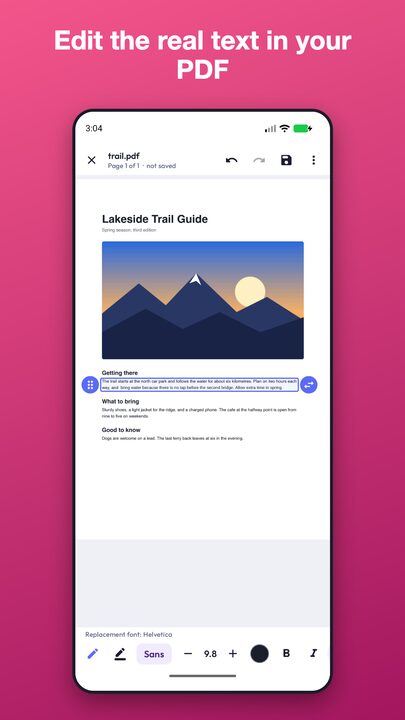
- Edit the real textTap text, type, and the change is written into the PDF. Font, size, colour, bold, italic and alignment from one row. Paragraphs wrap again by themselves.
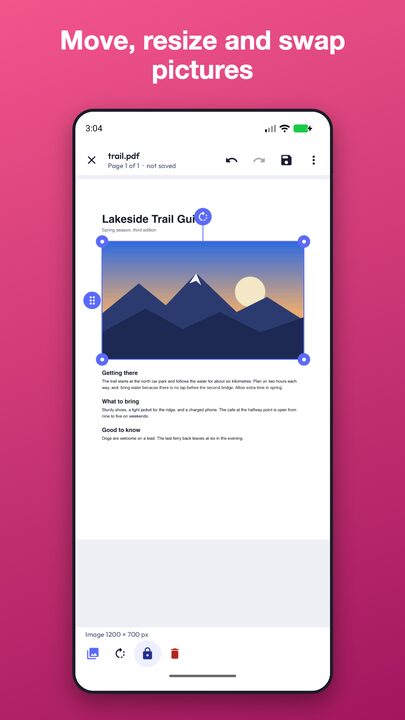
- PicturesSelect a picture, move it, resize it, turn it, replace it, delete it or add one from your gallery.
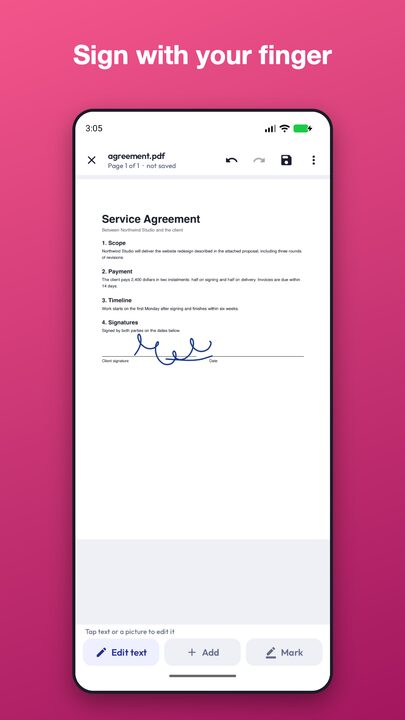
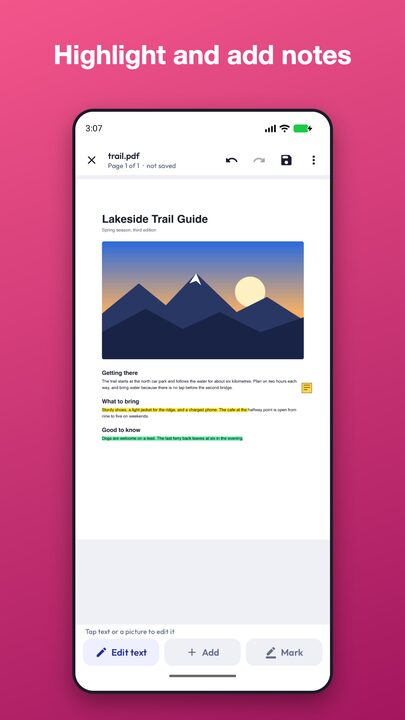
- Sign and annotateDraw your signature once, keep it on the phone and place it. Highlight, underline, strike through, draw, add shapes, arrows, dates and notes.
- Your original stays safeYou save an edited copy. The original file is never changed, and edits open correctly in other readers.
- Undo and draftsOne undo and redo history for every action. Drafts are saved while you work, and the app offers to restore them after a crash.
- Nothing is uploadedEditing runs on the phone. Your PDF is never sent anywhere, and the app asks for no storage permission.
- No account, no watermarkFree with ads: a banner on Home and Settings and a short ad after a finished save. One optional, one-time purchase removes them.
- Your languageEnglish, Turkish, Spanish, Portuguese and Arabic. It follows your phone language, and Settings lets you switch.
Screenshots
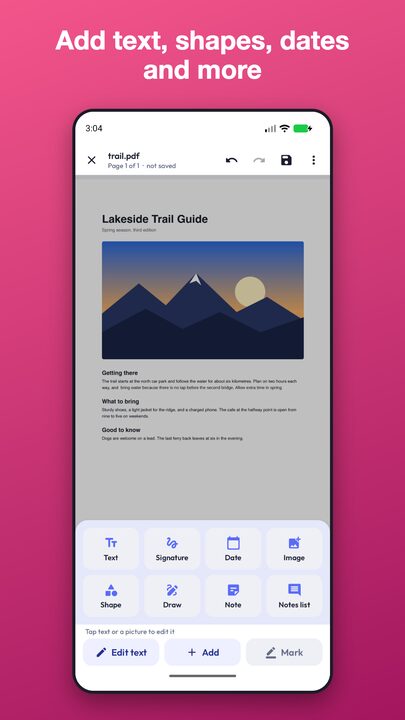
How to edit a PDF on Android
- Open TextLeaf and choose a PDF, or share a PDF to TextLeaf from any app.
- Tap Edit text, then tap a line. Type your change and confirm. Use Add for text boxes, pictures, shapes, dates and your signature, and Mark to highlight.
- Tap the save button and choose Save as. The edited copy goes where you pick, and the original is untouched.
What it can do, and what is not supported yet
Works well
- PDFs made by Word, Google Docs, LaTeX and most other programs, in Latin, Greek and Cyrillic letters, Turkish included.
- Changing a word, a line or a paragraph; headers and footers shared by many pages.
- Moving, resizing and replacing pictures; highlights, notes, shapes and signatures.
Not supported yet
- Text in Arabic, Hebrew, Indic scripts, Thai, Chinese, Japanese and Korean cannot be edited; you can still move, delete and mark it.
- Scanned pages are pictures, so there is no text to edit and there is no OCR.
- Password-protected PDFs are not opened yet. PDFs that forbid editing open for viewing and marking only.
- Editing a digitally signed PDF makes its signature invalid.
- Vertical text is shown but not edited. A complex page may need a second look in another reader.
Questions people ask
How do I edit the text of a PDF on Android?
Open the PDF in TextLeaf, tap Edit text, tap a line and type. The change is written into the PDF, and you save an edited copy.
Is my PDF uploaded?
No. TextLeaf edits the file on your phone and never uploads it. The usage counts and crash reports the app sends carry no file names or text.
Can I sign a PDF with my finger?
Yes. Draw your signature once, keep it on the phone if you like, then place, move, resize and turn it on the page.
Can I edit a scanned PDF?
Not yet. A scan is a picture of text, and TextLeaf has no text recognition, so there is no text to change. You can still add text boxes, marks and signatures on top.
Which fonts does it use?
The original font where the file allows editing. When it lacks a letter, TextLeaf uses a close replacement (Liberation, Carlito, Caladea or Noto Sans) and tells you.
Will the edited PDF open in other apps?
Yes. The edit is written into the PDF itself, and the copy opens in Google Drive, Chrome and other readers.
Is TextLeaf free? What ads are there?
It is free to use. A banner sits at the bottom of Home and Settings, and one short full-screen ad can play after a finished save when you tap Continue. A one-time purchase removes the ads. There is no subscription, and no ads inside the editor.
Does it work offline?
Yes. Editing needs no connection. Ads, updates and the purchase need one.
Which phones does it run on? Is there an iPhone version?
Android 7.0 or newer, on phones and tablets. TextLeaf is an Android app only; there is no iPhone or web version.
Is it affiliated with Adobe?
No. Adobe and Acrobat are trademarks of their owners. TextLeaf is an independent app by BumuStudios.
TextLeaf